Checked in November 2026. YouTube rolls features out gradually and renames menus, so update the app if you don't see the option.
Can you turn off YouTube Shorts completely?
Not completely, but you can come close. In October 2025 YouTube added a daily Shorts feed limit: once you hit it, the Shorts feed stops and shows a prompt. In 2026 it added a zero-minute option, which effectively switches the Shorts feed off. It's still a speed bump rather than a lock: for adult accounts the prompt can be dismissed, and individual Shorts can still show up in other parts of the app.
How to set the Shorts feed limit
- Open the YouTube app and tap your profile picture (the You tab).
- Tap the Settings gear.
- Tap Time management.
- Tap Shorts feed limit and pick a daily time, or 0 minutes to stop the feed.
How to block YouTube Shorts for kids and teens
For a teen with a supervised YouTube account, parents can set a Shorts timer in the account's parental controls, including setting it to zero to turn the Shorts feed off. YouTube announced this in January 2026. Long-form videos stay available.
On a child's iPhone, you can also block the whole YouTube app or youtube.com from your own iPhone through Family Sharing (Settings → Family → your child → Apps & Websites). See how to block YouTube on iPhone.
How to block YouTube Shorts on iPhone
iPhone's Screen Time can't target Shorts. It works per app and per website, and Shorts live inside the YouTube app. So on iPhone your options are:
- Inside YouTube: the Shorts feed limit above.
- The whole app: an App Limit or Downtime on YouTube in Settings → Screen Time, plus youtube.com under Never Allow so Safari doesn't become the back door. Steps: how to block YouTube on iPhone.
How to hide Shorts on a computer
In a desktop browser, extensions that hide Shorts from YouTube's pages are available in the Chrome Web Store and other add-on stores. Pick one with plenty of recent reviews, and check what permissions it asks for before you install it.
A different approach: earn your Shorts
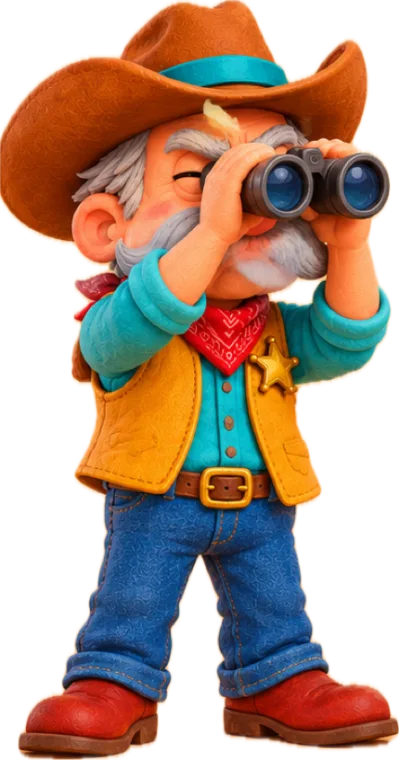
Most of us don't want Shorts gone forever. We want them to stop eating the hours we meant to work. That's the idea behind Scroll Sheriff, an app we're building for iPhone. It keeps YouTube locked until you've done a 25-minute focus shift on your real work, and then you've earned 15 minutes, guilt-free. A grumpy clay sheriff keeps you company while you work.

"Fifteen minutes, paid in full. You earned it."The Sheriff
FAQ
Can I disable Shorts on YouTube?
You can set YouTube's Shorts feed limit to zero minutes (Settings → Time management), which stops the Shorts feed. It isn't a full block: adults can dismiss it, and some Shorts still appear elsewhere in the app.
Can I stop my child from watching YouTube Shorts?
Yes, for a supervised account. Parents can set the Shorts timer to zero in the account's parental controls (announced January 2026). Regular videos stay available.
Does the Shorts limit block normal YouTube videos?
No. It only limits the Shorts feed. To limit all of YouTube on iPhone, use Screen Time on the YouTube app.
Is Scroll Sheriff out yet?
Not yet. We're building the iPhone app now. Join the waitlist and we'll email you once, when it's ready. It will be free, with optional Premium.