
Way 1: How do I block an app with App Limits?
Best for apps you want to use a little, not never.
- Open Settings and tap Screen Time. If it's off, turn on App & Website Activity first.
- Tap App Limits, then Add Limit.
- Pick a whole category, or open a category to pick single apps like TikTok or Instagram. Tap Next.
- Set how much time you get each day. Tap Customize Days if weekends should be different.
- Save the limit.
Way 2: How do I block apps on a schedule?
Best for fixed hours: study time, work hours, or after midnight.
- Go to Settings → Screen Time → Downtime.
- Turn on Downtime until tomorrow, or schedule it: choose Every Day or Customize Days, then set the start and end times.
- To actually block apps (not just remind you), set a Screen Time passcode and turn on Block at Downtime. Blocked apps dim and show an hourglass.
- Under Always Allowed, keep the apps you really need, like Phone, Messages and Maps.
Downtime is the strictest built-in option. Its weakness: it runs on the clock, not on what you got done. It locks you out at 9 pm whether or not you finished the essay, and it lets you back in at 9 am whether or not you started it.
Way 3: How do I block the website version?
Lock the TikTok app and your thumb will find tiktok.com in Safari within a day. Close that door as well:
- Go to Settings → Screen Time → Content & Privacy Restrictions and turn it on.
- Tap App Store, Media, Web, & Games, then Web Content.
- Choose Limit Adult Websites, then tap Add Website under Never Allow.
- Add the sites you want gone, for example tiktok.com, instagram.com or youtube.com.
Why don't app blocks stick?
- You hold the key. If you set the passcode, you know it. The 11 pm version of you will use it.
- It's all or nothing. Either the app is gone (so you turn the block off), or the limit is a suggestion (so you tap past it).
- Nothing asks for the work. The timer runs out whether the essay got written or not. A block takes away the escape, but it doesn't help you start.
Two things help: let a friend set the Screen Time passcode, and pair the block with a plan for the work itself, like a 25-minute timer and one small first step.
A different idea: make the work the key
That's what we're building. Scroll Sheriff uses the same Apple Screen Time system, but your apps unlock when you've done focused work, not when the clock says so.
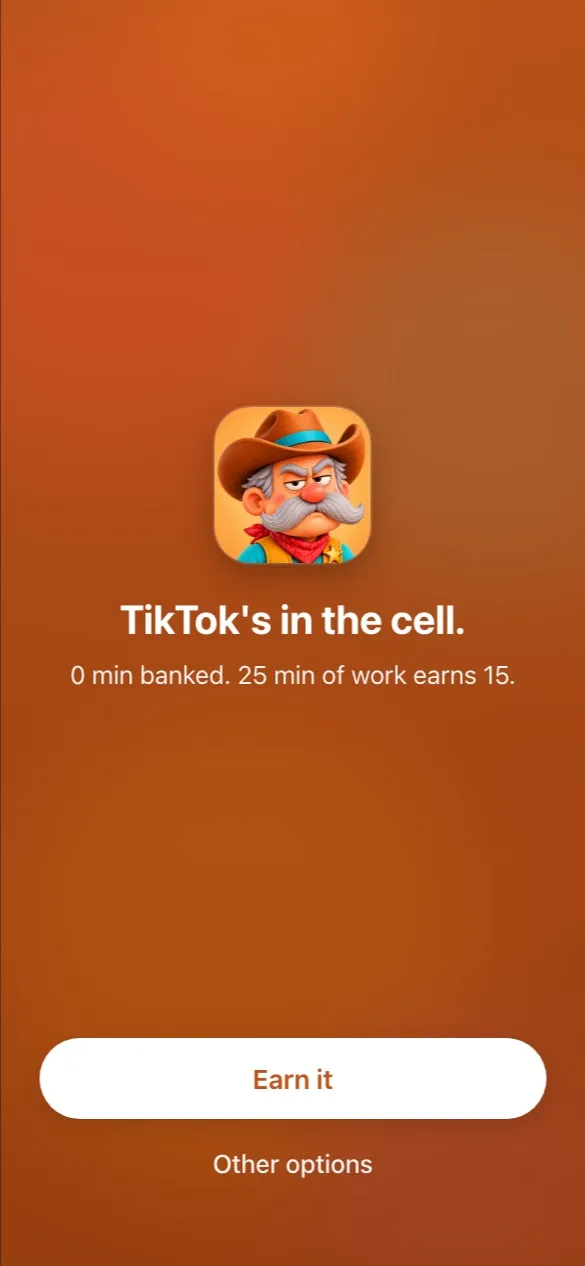
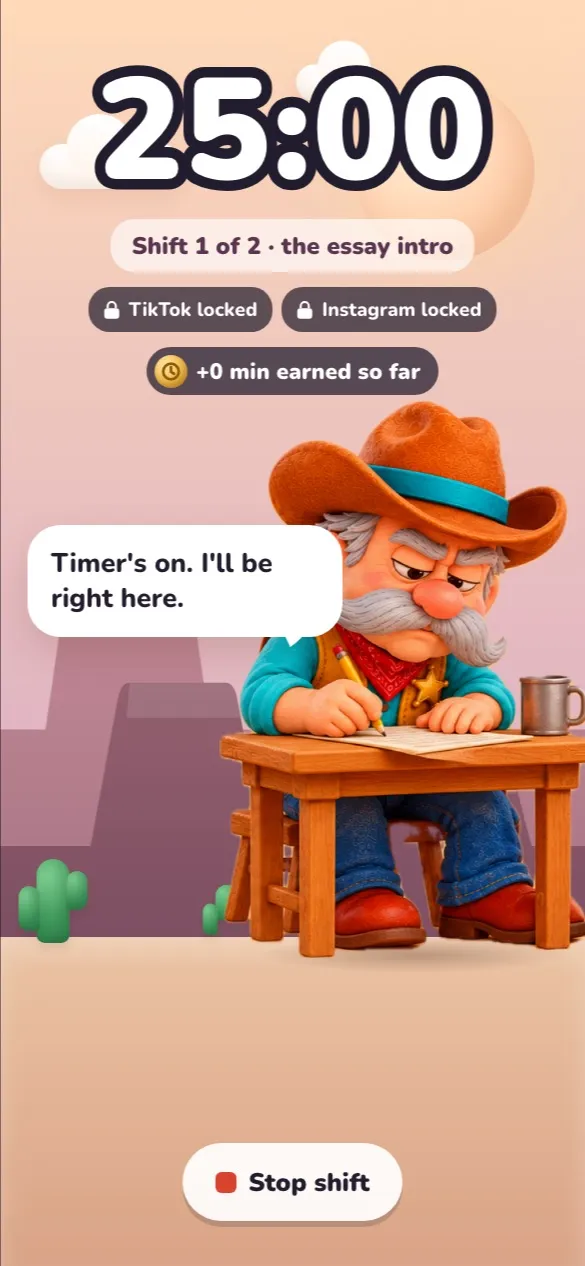
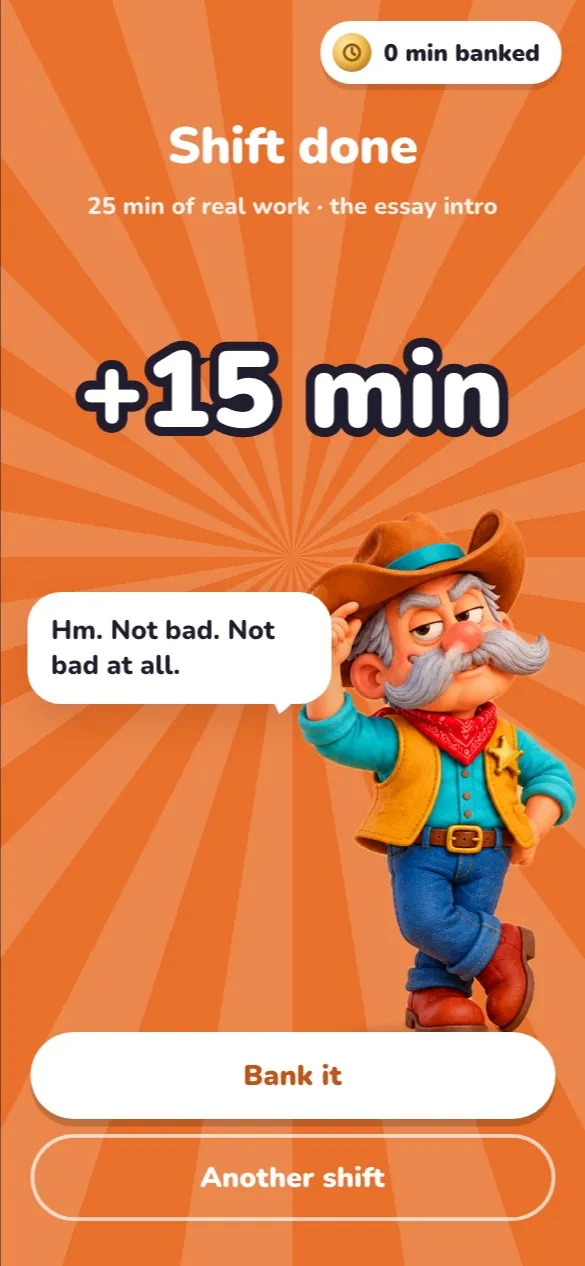
- Open a locked app and a grumpy sheriff's lock screen appears. Tap Earn it.
- Name the task and start a 25-minute shift. He keeps you company and checks in.
- Finish, and you've earned 15 minutes of scrolling. No guilt, no passcode games.
- No work in you? Push-ups count too: one rep, one minute.

"Locked up tight. They get out when you've earned it."The Sheriff
FAQ
Is it possible to block a specific app on iPhone?
Yes. App Limits and Downtime both let you pick single apps, not just whole categories: open a category in the list and select the app you want.
How do I permanently block an app?
The strictest built-in way is Downtime with Block at Downtime turned on, which needs a Screen Time passcode. App Limits alone can be ignored once you reach them.
How do I lock my kids out of certain apps?
If your child is in your Family Sharing group, do it from your own iPhone: Settings → Family → your child's name → Apps & Websites, then block the app or website.
Does blocking an app delete it or my account?
No. App Limits and Downtime only stop the app from opening. The app, your account and your data stay as they are.
Can I block just YouTube Shorts or Instagram Reels?
Not with Screen Time, which works per app and per website. YouTube has its own Shorts feed limit, which you can set to zero (adults can dismiss it). Details in how to block YouTube Shorts.
Is Scroll Sheriff out yet?
Not yet. We're building the iPhone app now. Join the waitlist and we'll email you once, when it's ready. It will be free, with optional Premium.
Can Scroll Sheriff see what I do in my apps?
No. Apple's Screen Time doesn't show us which apps you lock or what you do in them.